

RSA
Integrating ID Dataweb with RSA.
Overview
- Welcome to the RSA ID Dataweb Integration Guide. This document will help you seamlessly integrate ID Dataweb's identity verification services into your RSA Cloud application.
Prerequisites
Before you start, ensure you have the following:
- An active ID Dataweb and RSA account.
- If you are logging in for the first time to ID Dataweb check out this Scribe for additional assistance
- API credentials (API Key & Secret) can be obtained from the dashboard. Check out the below scribe for additional assistance.
Integration Steps
- Log in to the ID Dataweb AXN Admin: preprod.admin.iddataweb.com/axnadmin/app/dashboard (https://admin.iddataweb.com/axnadmin/app/login)
- Click on Workflows on the left side and then the dropdown next to the appropriate workflow
- Navigate to PRIMARY SERVICE API KEY AND SECRET
- Record them and keep your API Key and Secret secure
For additional assistance locating your API Key and Secret please check out this Scribe
- Please Visit (https://prod2.iddataweb.com/axn/oauth2/.well-known/openid-configuration) to obtain ID Dataweb’s well known and other important endpoint details.
Support
For questions, reach out to our support team at [email protected] or visit our Developer Docs.
Additional Information about your verification workflows
- MobileMatch (MM for short) utilizes a two-step process to 1) verify a person's identity based on mobile carrier data attached to a provided phone number and 2) verify possession of that phone number via a one-time password challenge. Additionally, it screens each verification session for indicators of risk and nefarious behavior.
- MobileMatch is offered in the United States, Canada and the United Kingdom.
- BioGovID (short for "biometric-government ID verification") is one of five standardized, best practice workflows that ID Dataweb offers. BioGovID cross-references personally identifiable information (PII), a live selfie, and images of a government-issued document to verify a person's identity in real-time. Additionally, it screens each verification session for indicators of risk and nefarious behavior.
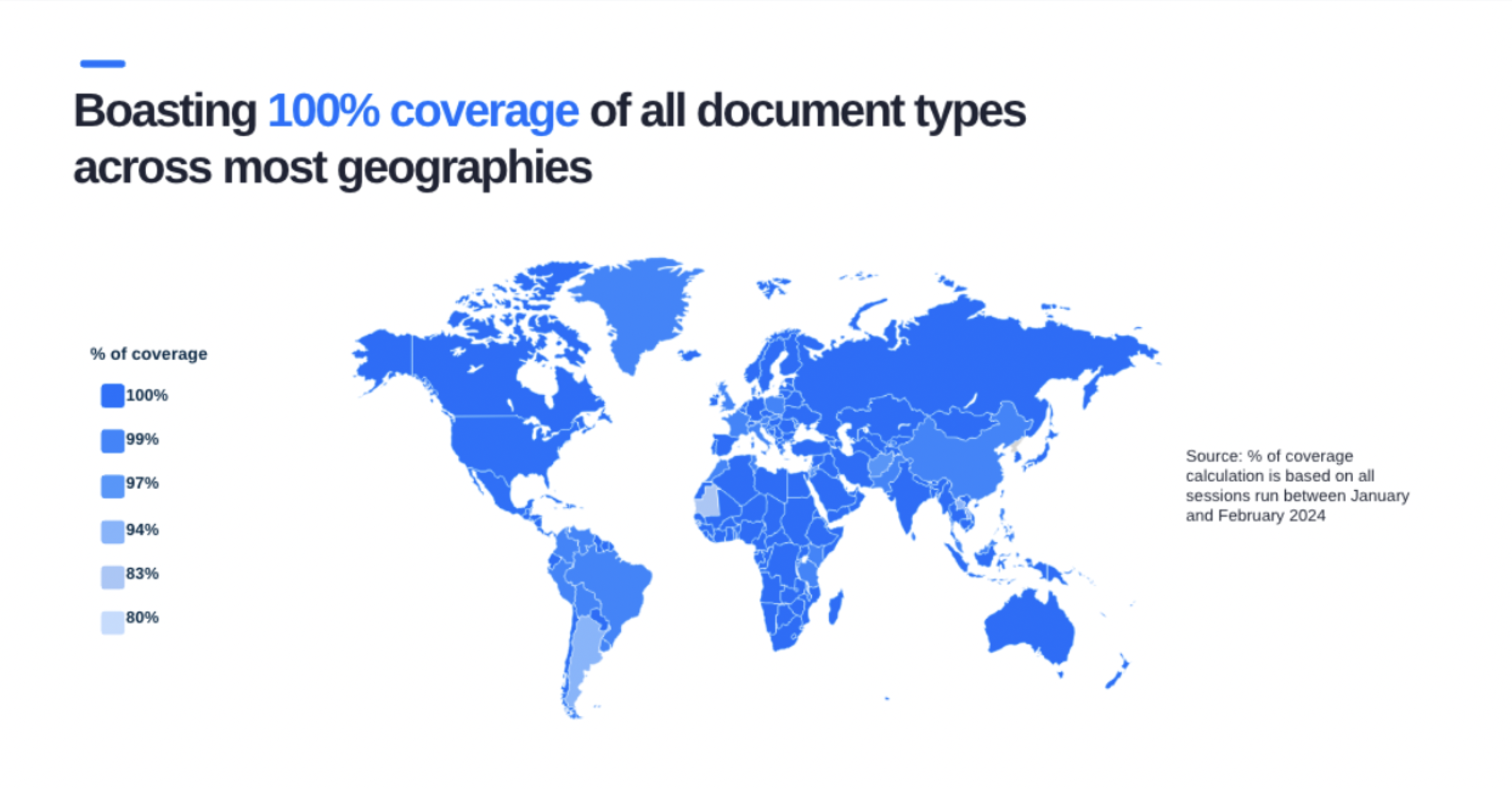
- BioGovID is offered in 180 countries with over 5,000 different document types.
- Dynamic Knowledge Based Authentication (dKBA/KBA for short) Knowledge based authentication utilizes challenge questions that require highly personalized knowledge to verify a person's identity in real-time. Additionally, it screens each verification session for indicators of risk and nefarious behavior.
- KBA is only offered in the United States today.
You may see a combination of two of the above methods in your workflow options. This indicates a “step-up” verification. Meaning if a user is unable to successfully verify themselves with the first method or that method is unavailable in their region, they are automatically stepped into the second method of verification.
A best practice to cover the most user populations while maintaining the least amount of friction would be to choose one of the MobileMatch (MM) > BioGovID step up options for your verification method. Through this, the users will be asked to supply their country region as a first step and our system will place them in the correct verification option dynamically.
What is the difference between OTP and FastTap?
- OTP or One Time Pin also referred to as One Time Password is a randomly generated string of numbers sent to a user via SMS to plug back into the workflow. This checks possession of the claimed phone device from the PII collection step.
- FastTap (FT for short) also is an authentication method to confirm possession of a device. Through this option the user will receive a SMS with a link (instead of a string of numbers). This link will take the user to a secure website that is able to determine additional risk signals. These include impossible travel patterns, checking the device for malicious software or if the user is using a VPN or TOR browser at the time of verification.
How can I test these workflows for myself?
If you are interested in trying these verification workflows for yourself, you can check out one of these resources for assistance:
- Check out the following scribe:
- Check out this video on how to test verification workflows yourself:
For additional assistance with your RSA Cloud Authentication Service please visit the following documentation hosted by RSA (https://community.rsa.com/s/article/ID-Dataweb-Third-Party-Identity-Verification-Integration-RSA-Ready-Implementation-Guide) or contact your RSA representative directly.
Updated about 1 month ago