

Saviynt
Integrating ID Dataweb with Saviynt.
Overview
Integrate ID Dataweb with Saviynt Enterprise Identity Cloud EIC to deliver seamless identity proofing within access governance workflows, enabling real-time identity verification during onboarding and re-verification processes, and ensure users are securely validated before access to systems and applications is granted.
Prerequisites
ID Dataweb side:
- Organization user with:
- Organization Administrator role
- Admin API access enabled
- Credentials created:
- Admin API username
- Admin API password
- Generated:
- Primary Service API Key
- Redirect URL for workflow completion
- Saviynt side:
- Access to Saviynt EIC admin console
- Permissions to configure:
- Identity Proofing settings
- General platform requirement)
- Saviynt tenant with identity workflows configured
Configuration Steps
To configure ID Dataweb, perform the following steps:
Step 1: Configure ID Dataweb for Saviynt Identity Cloud
Step 2: Integrate Saviynt Identity Cloud with ID Dataweb for Identity Proofing
Step 1: Configure ID Dataweb for Saviynt Identity Cloud
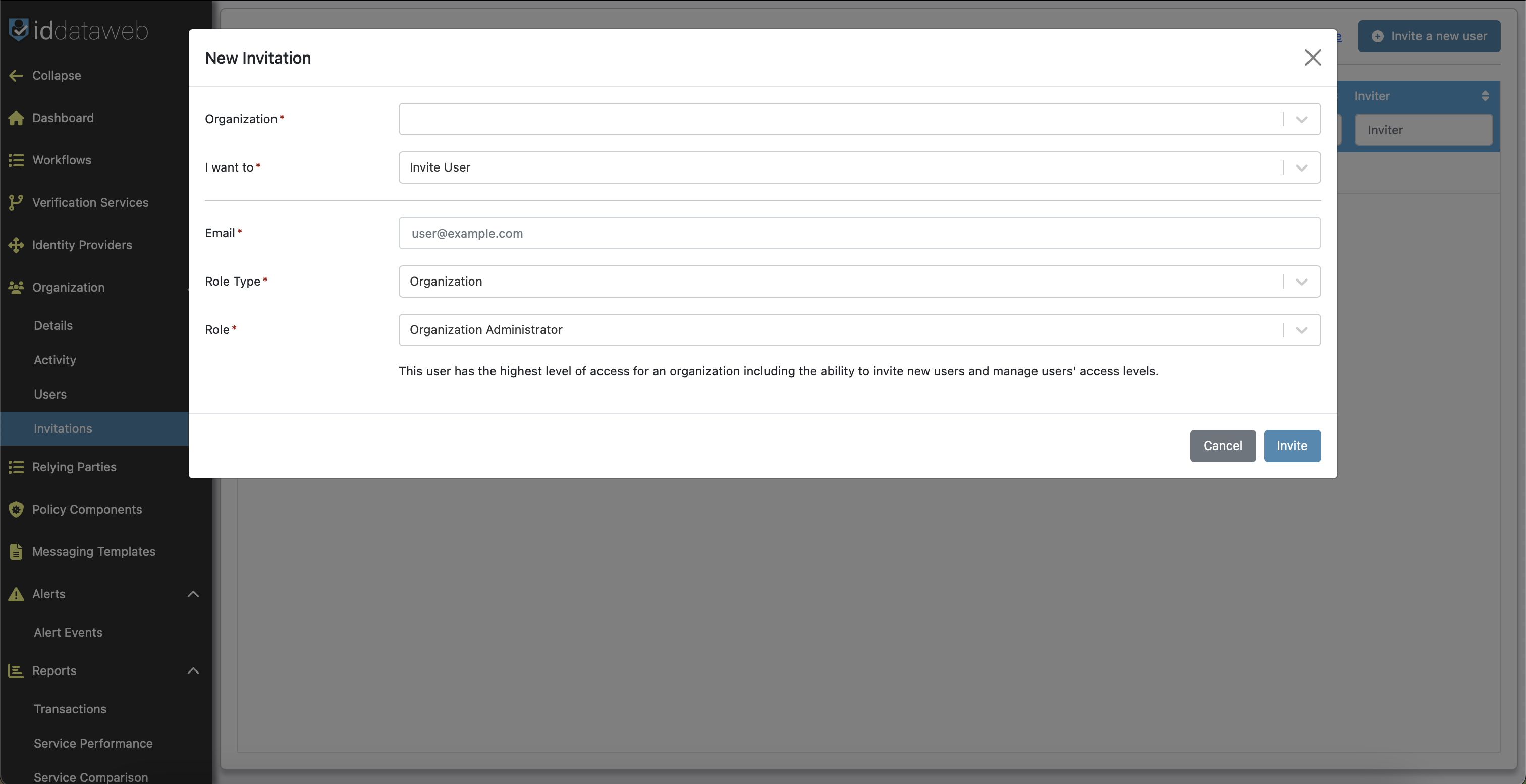
Ensure that your user has the following permissions:
Role Type: Organization
Role: Organization Administrator
- Create the user responsible for integrating Saviynt Identity Cloud with ID Dataweb. For more information, see Inviting Users to the AXN Admin Console in the ID Dataweb Documentation.
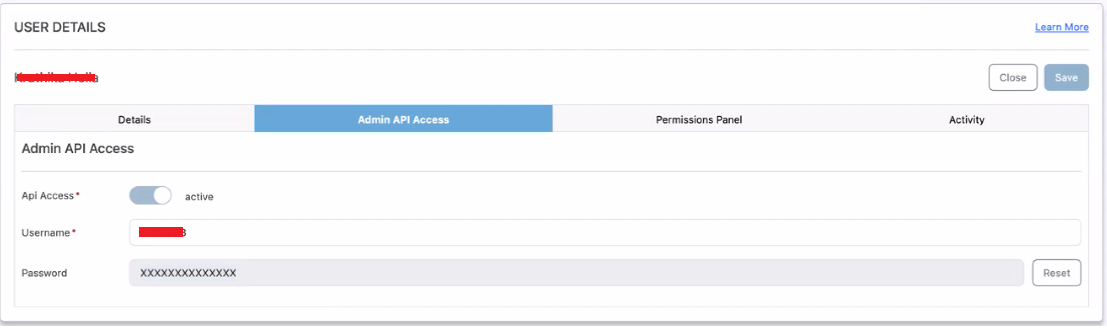
- After the user record is available in the ORGANIZATION USERS page, enable Admin API Access and set the username and password for the user. For more information, see Enabling Admin API Access in the ID Dataweb Documentation.
Make a note of the username and password required by Saviynt Identity Cloud
- Obtain the Primary Service API Key and redirect URL. For more information, see Workflow Access Keys in the ID Dataweb Documentation.
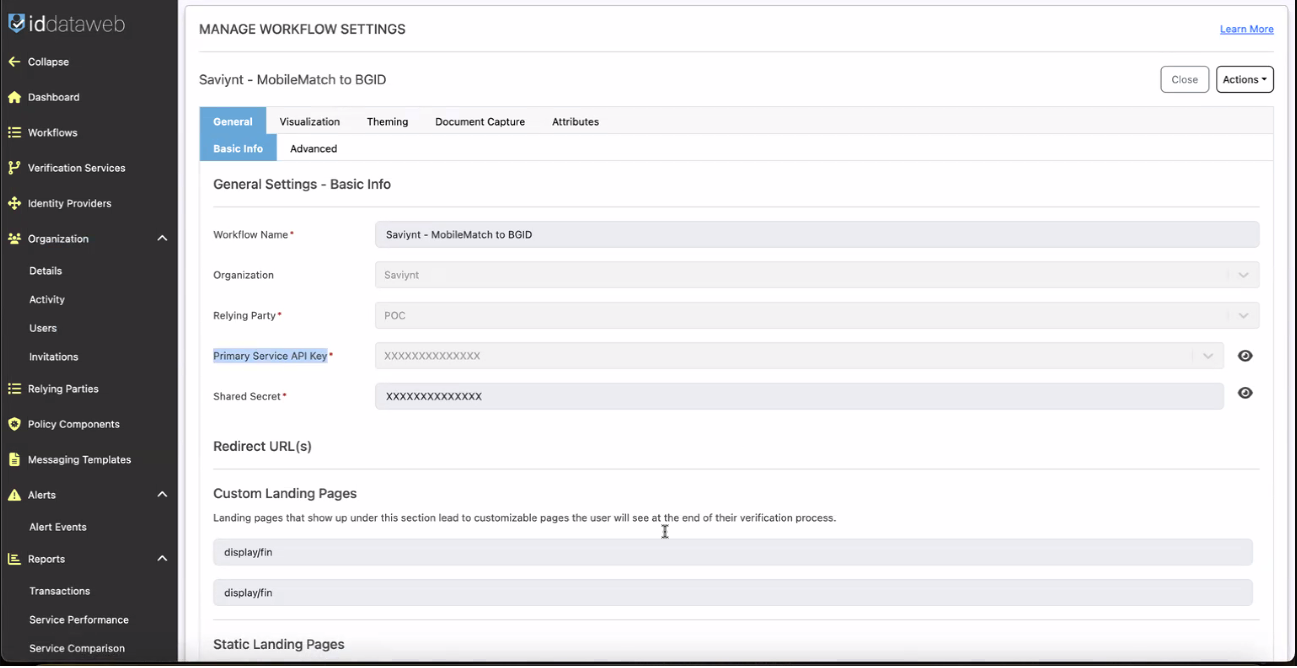
Make a note of the Primary Service API Key and redirect URL required by Saviynt Identity Cloud.
The default redirect URL for a production environment is typically https://prod.mockrp.iddataweb.com/mockrp2/endpoint/prod/display/fin.
Note For more information about configuring ID Dataweb, see the ID Dataweb documentation or email [email protected] and reference that you are working on the Saviynt documentation.
Step 2: Integrating Saviynt Identity Cloud with ID Dataweb for Identity Proofing
To integrate ID Dataweb with Saviynt Identity Cloud , perform the following steps:
- Log in to Saviynt Identity Cloud.
- Navigate to Admin > Settings > Identity Proofing. Alternatively, enter Identity Proofing in the search box and select the required menu item. For more information, see , Using the Unified Navigation.
The Identity Proofing page is displayed.
- In the ID Dataweb tile, click Set Up.
The ID Dataweb page is displayed.
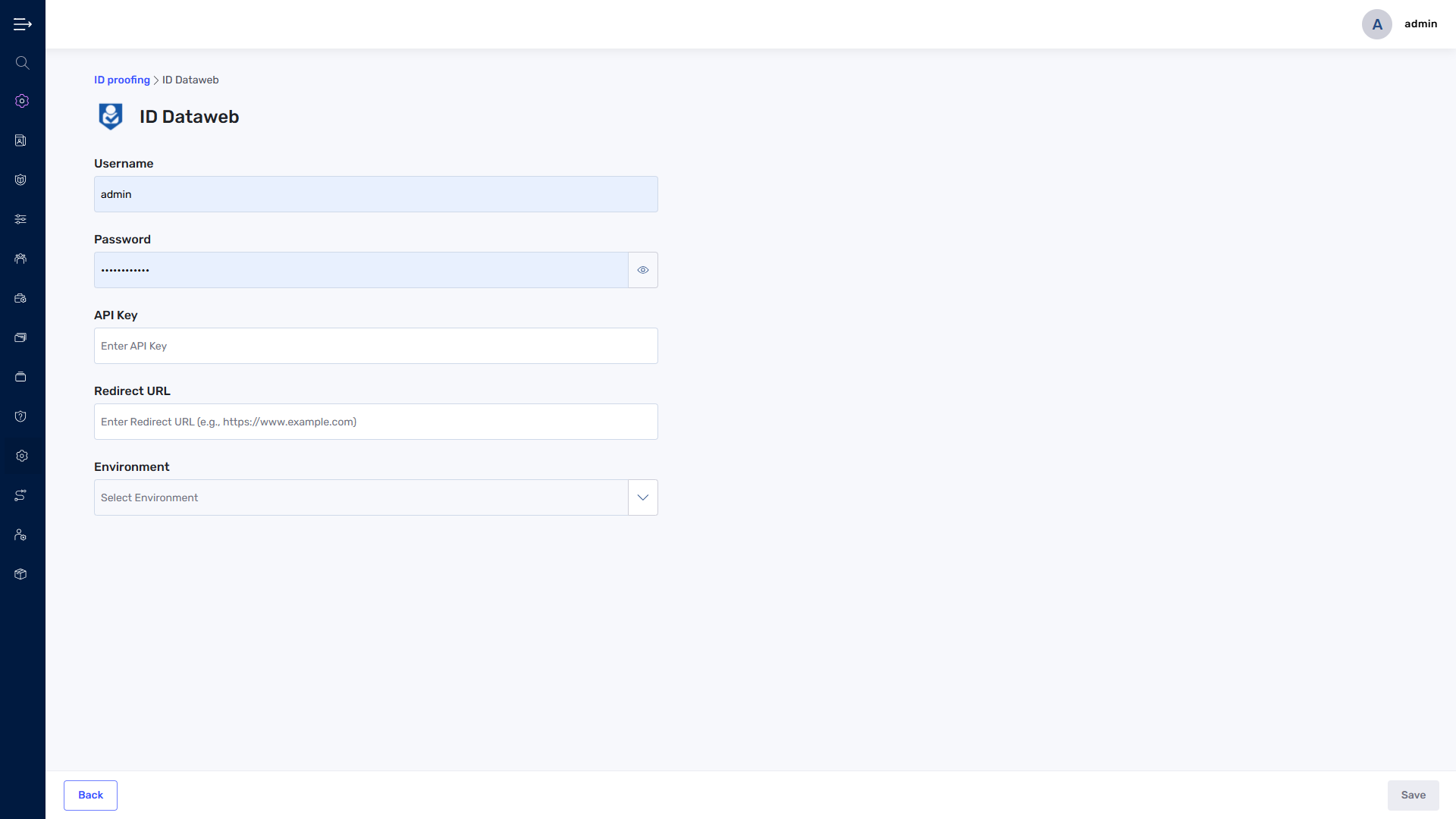
- Enter the following details:
Username: Specify the Admin API Access username to authenticate ID Dataweb API calls. You obtained this credential in Step 1: Configure ID Dataweb for Saviynt Identity Cloud.
Password: Specify the Admin API Access password to authenticate ID Dataweb API calls. You obtained this credential in Step 1: Configure ID Dataweb for Saviynt Identity Cloud.
API Key: Specify the Primary Service API Key obtained after configuring a verification service workflow in Step 1: Configure ID Dataweb for Saviynt Identity Cloud.
Redirect URL: Specify the valid redirect URL you configured in Step 1: Configure ID Dataweb for Saviynt Identity Cloud.
Environment: From the drop-down list, select Production.
Note If you use a non-production environment, select Preproduction from the drop-down list.
- Click Save. You are redirected to the Identity Proofing page.
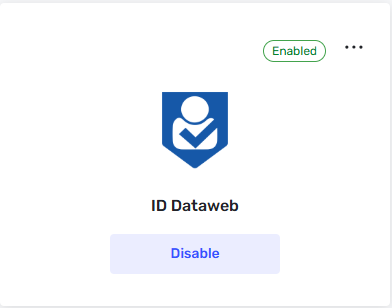
- Click Enable in the ID Dataweb tile.
A confirmation dialog box is displayed.
- Click Apply. ID Dataweb is displayed in Enabled state, and the following banner appears:
ID Dataweb Enabled:You can now configure user modification workflow to include ID proofing workflow stage.
Note To update or disable the identity proofing configuration, please see Saviynt documentation: Managing Identity Proofing Configuration.
Testing
Testing – End-to-End Verification
Trigger a Saviynt workflow with identity proofing enabled
Confirm:
User is redirected to ID Dataweb
The verification process executes
User is redirected back via the redirect URL
Validate:
Workflow continues in Saviynt
Identity proofing status is reflected
Test both:
Successful verification
Failed verification scenarios
Troubleshooting
Issues: Redirect URL mismatch between ID Dataweb and Saviynt
Incorrect or incomplete redirect URL entered
User not returning to Saviynt after verification
Resolutions: Copy the redirect URL exactly from ID Dataweb into Saviynt
Ensure the URL matches the configured environment (prod vs preprod)
Validate that the redirect URL is properly saved in Saviynt
Retest flow to confirm user returns to Saviynt after verification
Updated 5 months ago