

SailPoint NERM Integration Guide
This integration guide highlights how to set up your ID Dataweb identity proofing workflows to be triggered within your Sailpoint NERM environment for non-employee onboarding.
Admin users are now able to configure Identity Proofing with ID Dataweb through an Identity Proofing workflow action. This action is only available for Collaboration Portal Registration workflows.
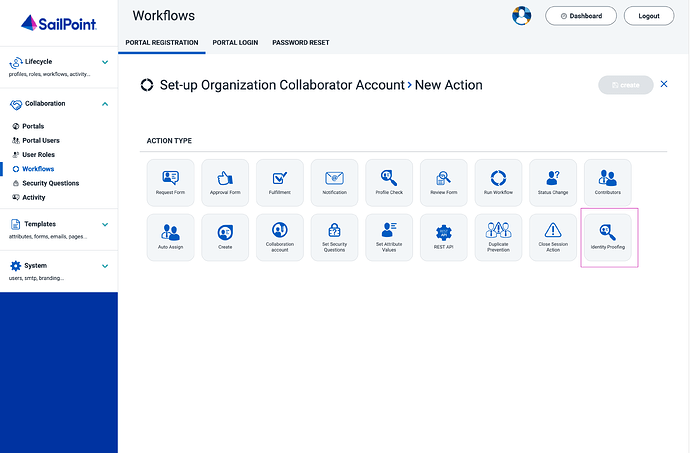
When the admin selects the Identity Proofing workflow action, the configuration settings for the workflow action display.
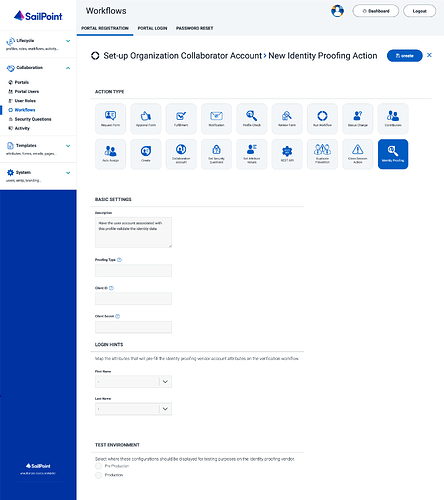
Admins can optionally define a Description and Proofing Type label to clearly identify the verification workflow that will be initiated through the workflow action.
The Client ID and Client Secret must be populated using values from ID Dataweb. The Client ID and Client Secret correspond to the customer’s verification workflow in ID Dataweb.
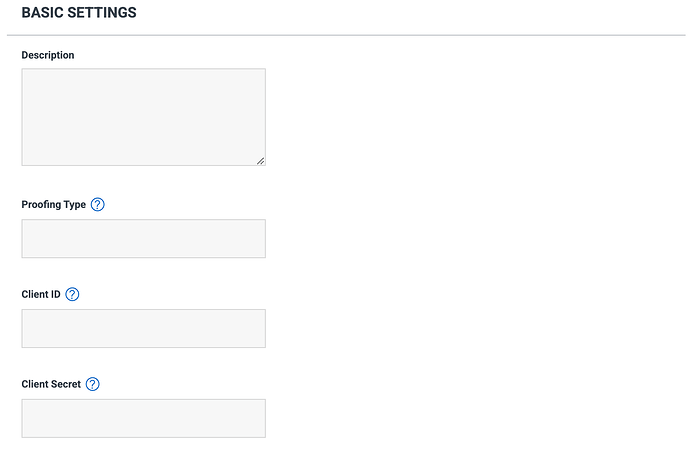
Locating your ID Dataweb Client Key and Client Secret
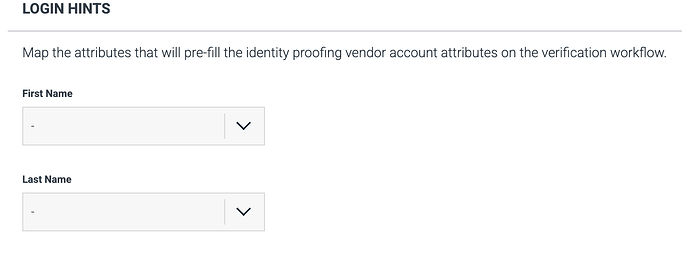
Admins have the option to map attributes that will pre-populate when a non-employee initiates proofing with ID Dataweb. To use this functionality, Login Hints must be enabled for the ID Dataweb verification workflow that will be invoked from Non-Employee Risk Management’s workflow action.
Admins can indicate the type of ID Dataweb environment for the proofing type used in the identity proofing workflow action.

Admins will need to add their redirect URL into their ID Dataweb workflow to properly communicate the user journey from NERM to ID Dataweb and back. The format of this URL is: https://companyxyz-poc.portal.mynonemployee.com/openid/consume you may need to contact your Sailpoint support team members to locate this for your specific environment. This will be placed under the redirect URL section of the ID Dataweb workflow in the General > Basic Info Tab.
The identity proofing action will be invoked per the configuration of the customer’s onboarding workflow in Non-Employee Risk Management. When the non-employee begins the ID Dataweb verification process, the steps they must complete will depend on the requirements of the verification flow that corresponds to the Client ID and Client Secret provided in Non-Employee Risk Management.
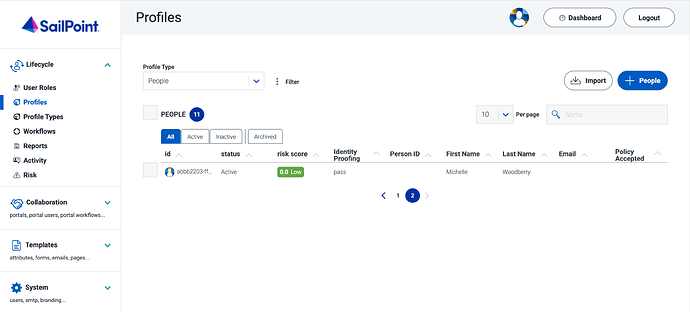
Once verification is completed in ID Dataweb, the proofing response is sent to Non-Employee Risk Management and will be visible in the UI.
If you have any issues or questions please contact your ID Dataweb or Sailpoint NERM Support team member(s).
Updated 21 days ago