

One Time Passcode (OTP) — Settings
Step Settings allow you to customize individual steps within a workflow.
To access these settings, navigate to My Workflows → Select a Workflow → Builder, then select the step you want to configure.
One Time Passcode (OTP) — Settings
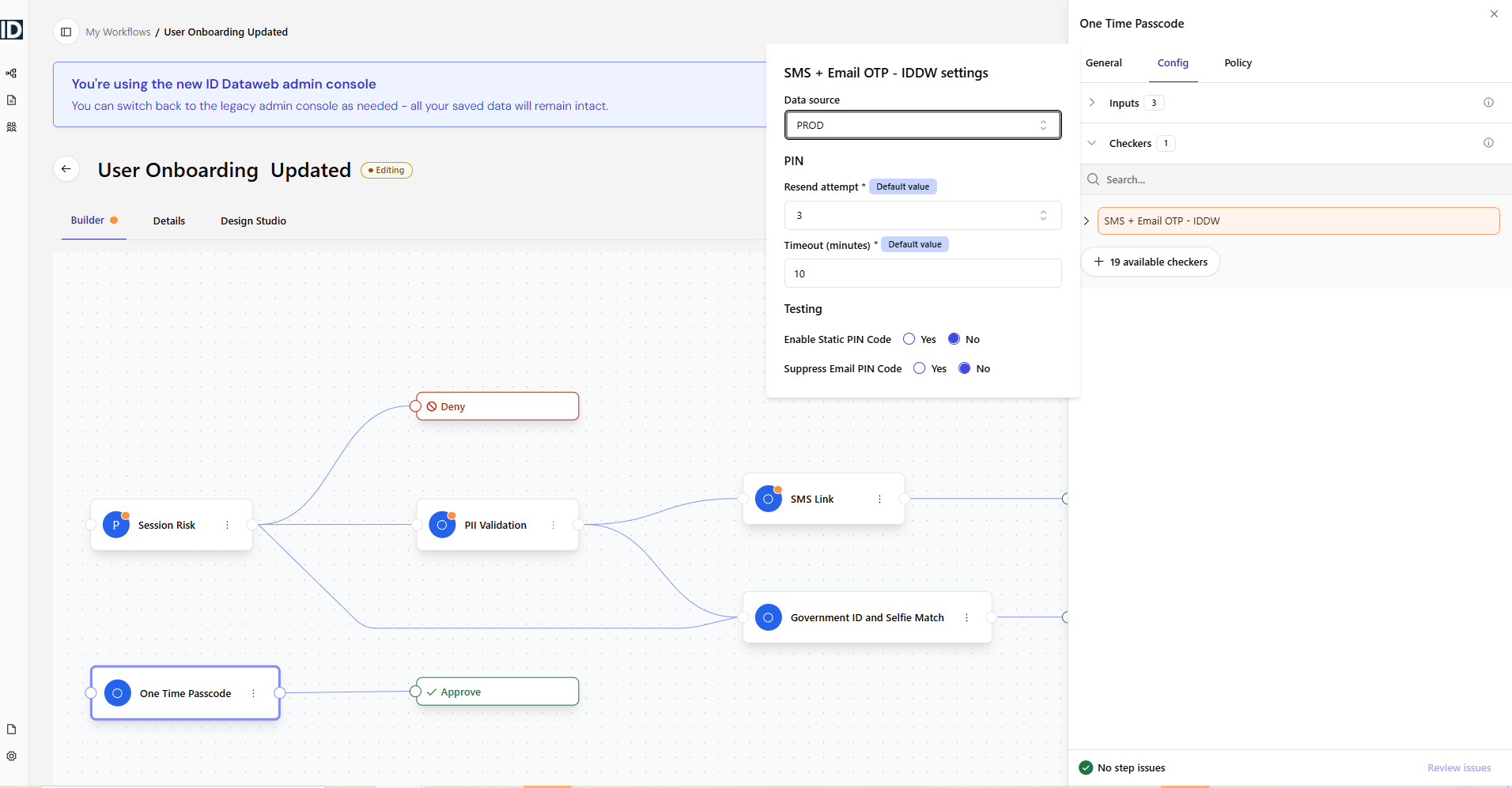
These settings control PIN resend attempts, expiration time, and testing options for the verification process.
Configuration Options
| Setting | Description |
|---|---|
| Data Source | Specifies the environment used for OTP verification, such as Production (PROD). |
| Resend Attempt | Defines the maximum number of times a user can request a new PIN. The default value is 3. |
| Timeout (minutes) | Specifies how long the PIN remains valid before expiring. The default value is 10 minutes. |
Testing Options
The Testing section provides additional options to support OTP verification testing.
| Setting | Description |
|---|---|
| Enable Static PIN Code | Allows the use of a predefined PIN instead of a dynamically generated PIN for testing purposes. The default is No. |
| Suppress Email PIN Code | Controls whether PIN delivery through email is suppressed. The default is No. |
Note: Static PIN functionality is intended for testing purposes. Ensure this option is disabled before using the workflow in production.
Note: The Resend Attempt and Timeout fields may be prepopulated with default values. You can adjust these settings based on your workflow's verification requirements.
Updated 6 days ago