

Verification Link Expiration
Workflow Settings allow you to customize how your verification workflows operate, integrate with external applications, manage verification sessions, return results, and more.
You can configure workflow-level settings under the Details tab or customize individual verification steps directly in the Workflow Builder.
Access Workflow Settings
- Navigate to My Workflows in the Admin Console.
- Select the workflow you want to configure.
- Open the Details tab.
- Select General or Integration from the left navigation.
- Expand the configuration section you want to customize.
- Update the settings and click Save.
Note: Available settings may vary depending on your workflow configuration and selected integration type.
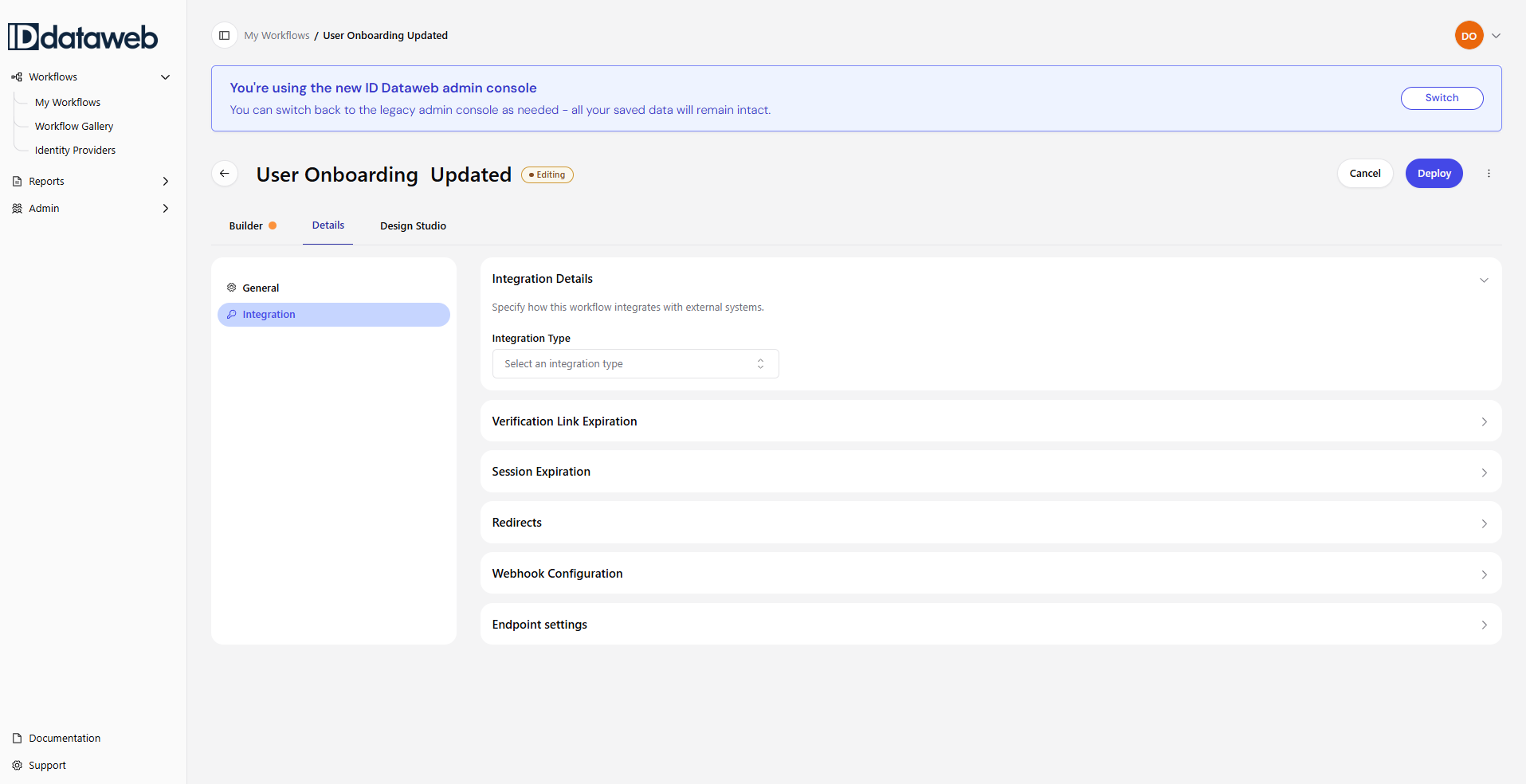
Verification Link Expiration
Verification Link Expiration controls how long a verification link remains valid. Once the configured expiration period has passed, the link can no longer be used, and the user will see an expiration message.
By default, this feature is set to Not Configured.
Configuration Options
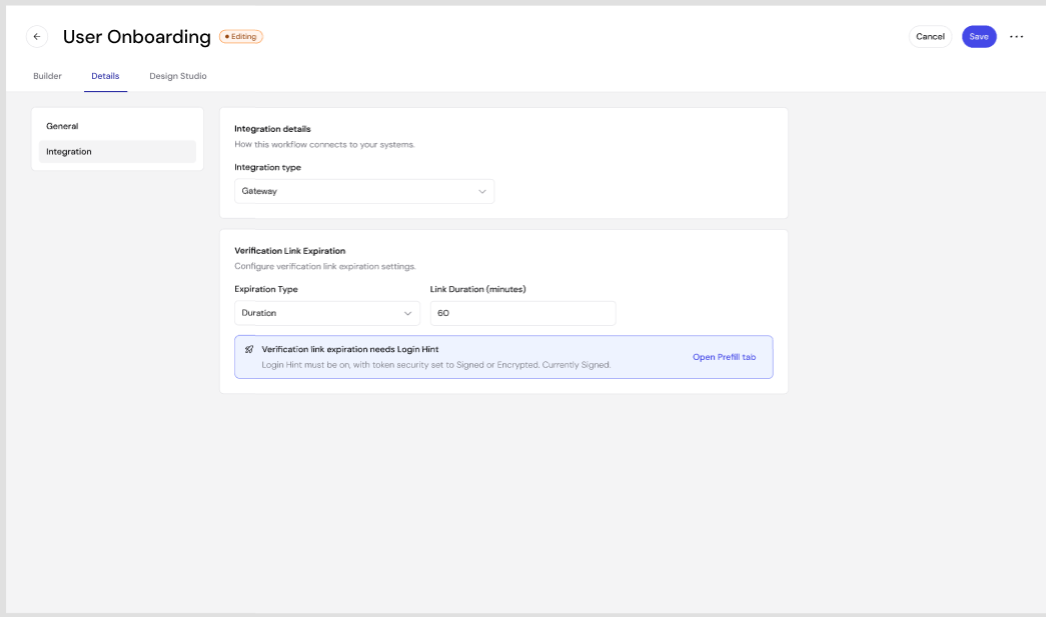
Under Expiration Type, select one of the following options:
| Expiration Type | Description |
|---|---|
| Not Configured | Default setting. No custom verification link expiration is configured. |
| Duration | Expires the verification link after a specified number of minutes. |
| Date and Time (UTC) | Expires the verification link at a specified date and time in UTC. |
Login Hint Configuration
Enabling Verification Link Expiration automatically enables Login Hint and sets its token security to Signed by default.
Login Hint is required to support verification link expiration. Token security must be configured as either Signed or Encrypted.
Once enabled, the Verification Link Expiration section displays an informational message confirming the Login Hint configuration.
To review or modify these settings, click Open Prefill tab or navigate to: Builder → Primary Step Details → Prefill tab
Note: Login Hint configuration is shared with the workflow's prefill functionality. Review the settings in the Prefill tab if your workflow also uses Login Hint to populate verification inputs.
Updated 6 days ago