

Government ID Checker Settings
Step Settings allow you to customize individual steps within a workflow, including:
To access these settings, navigate to My Workflows → Select a Workflow → Builder, then select the step you want to configure.
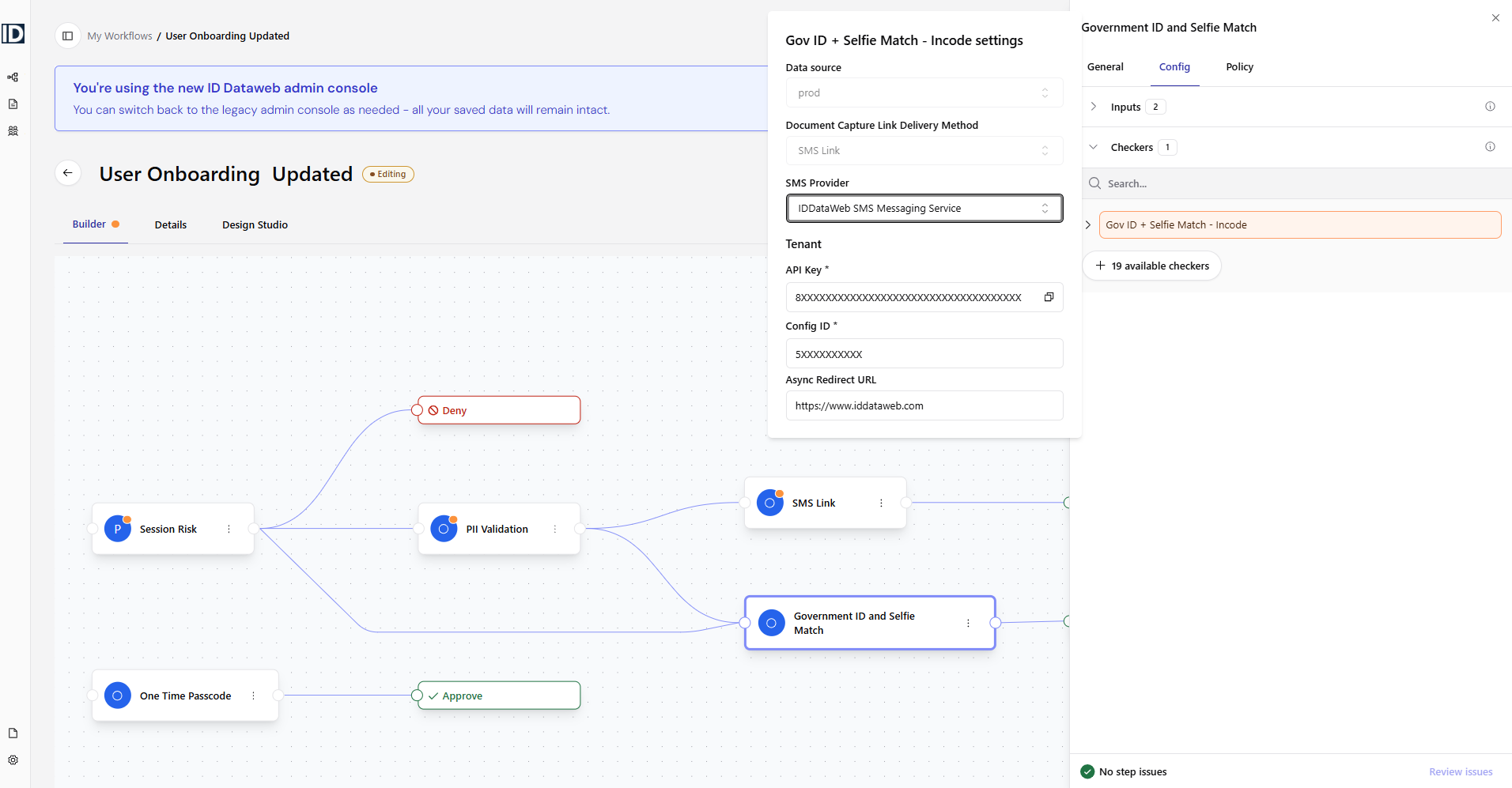
Government ID Checker Settings
These settings control how the document capture link is delivered, which messaging provider is used, and how the workflow connects to the Incode verification service.
Configuration Options
| Setting | Description |
|---|---|
| Data Source | Specifies the data source or environment used for verification, such as Production (Prod). |
| Document Capture Link Delivery Method | Determines how the document capture link is delivered to the user, such as SMS Link or QR code. To enable QR code, integration type must be defined and set to either (gateway ot gateway and API)option |
| SMS Provider | Specifies the messaging service used to deliver the verification link. You can select the ID DataWeb SMS Messaging Service or another available provider. |
Tenant Configuration
The Tenant section contains the credentials and settings used to connect to the Incode verification service.
| Setting | Description |
|---|---|
| API Key | The authentication credential used to connect to Incode. A default value may be provided. |
| Config ID | Identifies the Incode configuration used for the verification process. A default value may be provided. |
| Async Redirect URL | Specifies the redirect URL used by the asynchronous verification flow. |
Fields marked with an asterisk (*) are required.
Note: The API Key and Config ID may be prepopulated with default values. Review these settings before making changes to ensure the correct provider configuration is used.
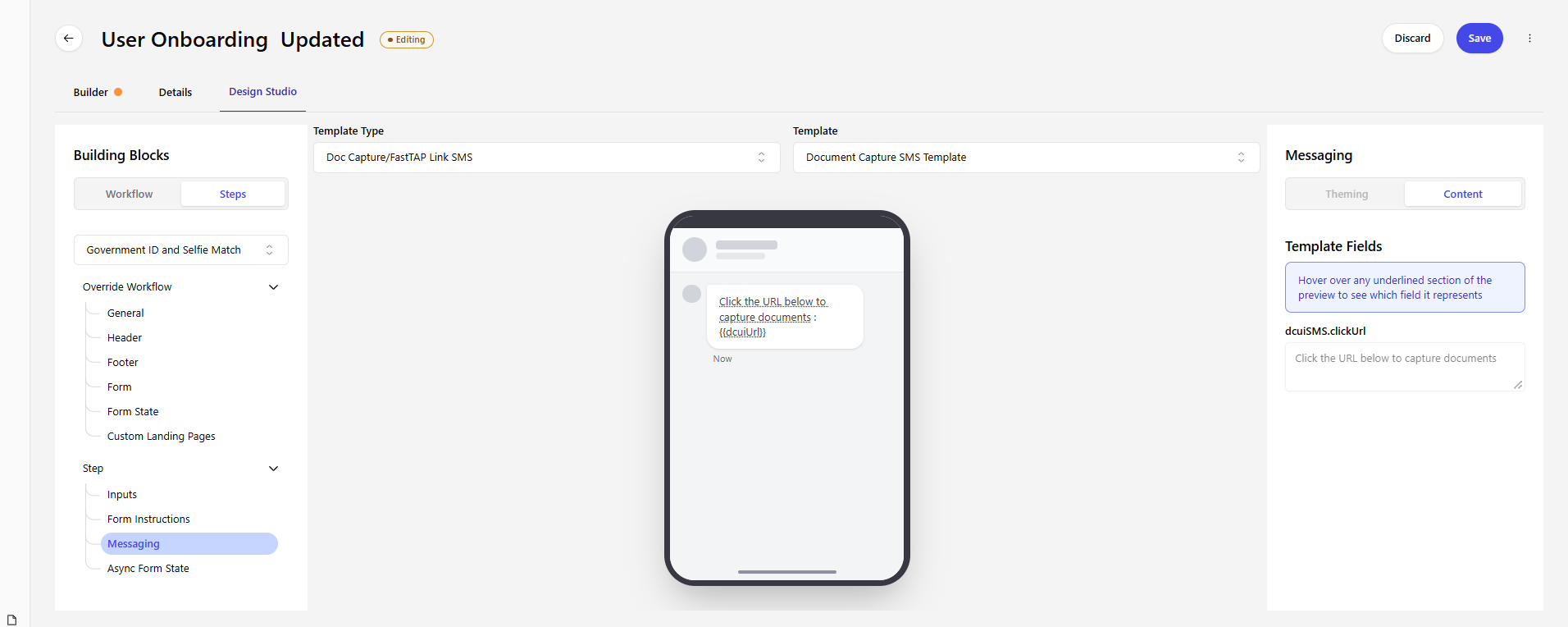
Customize SMS Messaging
Note: SMS message customization is available through Design Studio → Building Blocks → Steps → Government ID and Selfie Match → Messaging when using a messaging provider other than the verification vendor's default provider.
Note: Available settings and editable fields may depend on your permissions. Contact ID DataWeb Support if you need assistance with provider-specific credentials or settings.
Updated 1 day ago