
SMS Link — Device + Network Risk
Step Settings allow you to customize individual steps within a workflow.
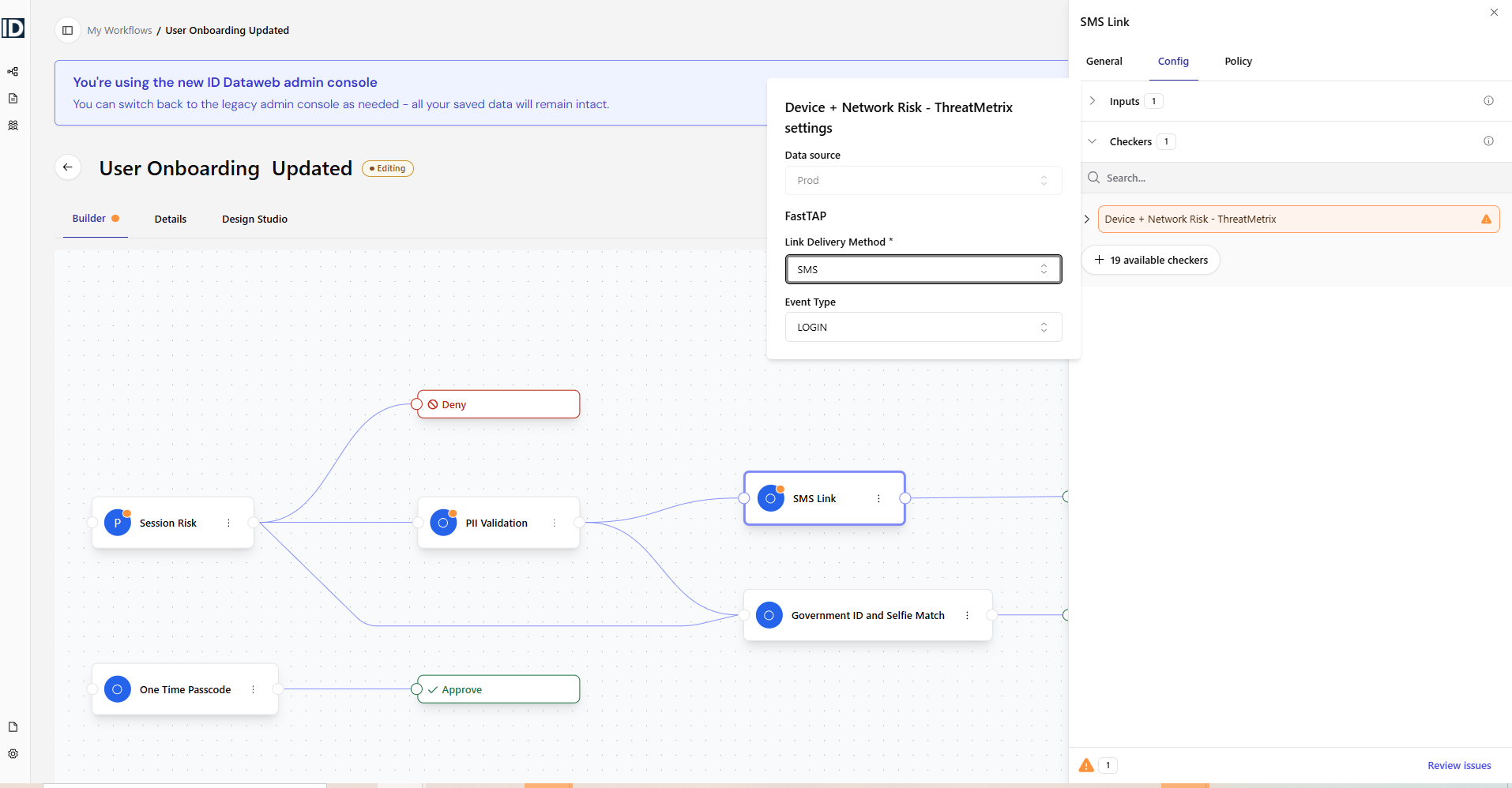
To access these settings, navigate to My Workflows → Select a Workflow → Builder, then select the step you want to configure.
SMS Link — Step Settings
The Device + Network Risk — ThreatMetrix checker allows you to configure device and network risk verification through FastTAP.
These settings control how the verification link is delivered to the user and the type of event associated with the verification request.
Configuration Options
| Setting | Description |
|---|---|
| Data Source | Specifies the environment or data source used for verification, such as Production (Prod). |
| Link Delivery Method | Determines how the FastTAP verification link is delivered to the user. The screenshot shows SMS as the selected method. |
| Event Type | Specifies the type of event associated with the risk evaluation. The screenshot shows LOGIN as the selected event type. |
FastTAP( SMS Link) Configuration
The FastTAP section allows you to configure how the verification process is initiated.
Link Delivery Method
Select the method used to deliver the verification link to the user.
Event Type
Select the event type that corresponds to the verification scenario.
Note: Available configuration options may vary depending on the ThreatMetrix integration and the settings enabled for your organization. Review any validation warnings displayed in the step configuration panel before saving or deploying the workflow.
Updated 1 day ago